Clinical Workflow Solutions Built Around How You Work
How do you want your behavioral health clinic to function? It's an important question that forces healthcare providers implementing a computerized clinic management system to ask. Consider variables like:
- Which forms do patients complete on the first visit?
- Which forms should clinicians complete on that visit?
- How often do clinicians need to revise documents to comply with regulations?
- How will you handle release of information forms and then make sure you collect new versions once they expire?
- What's the easiest way to ensure that clinicians address goals and objectives, consistent with the treatment plan, within the progress notes?
ClinicTracker’s customized workflow software lets you build those answers into your system. Workflow Builder turns each step into an assigned task, triggered by events like a new patient record or a signed form. With the ability to create a limitless number of workflows (including multiple versions of the same workflow) and customize the forms referenced by them, you can rely on our clinical workflow software to best serve your needs and help modernize operations across the clinic.
From Trigger to Task With Workflow Builder
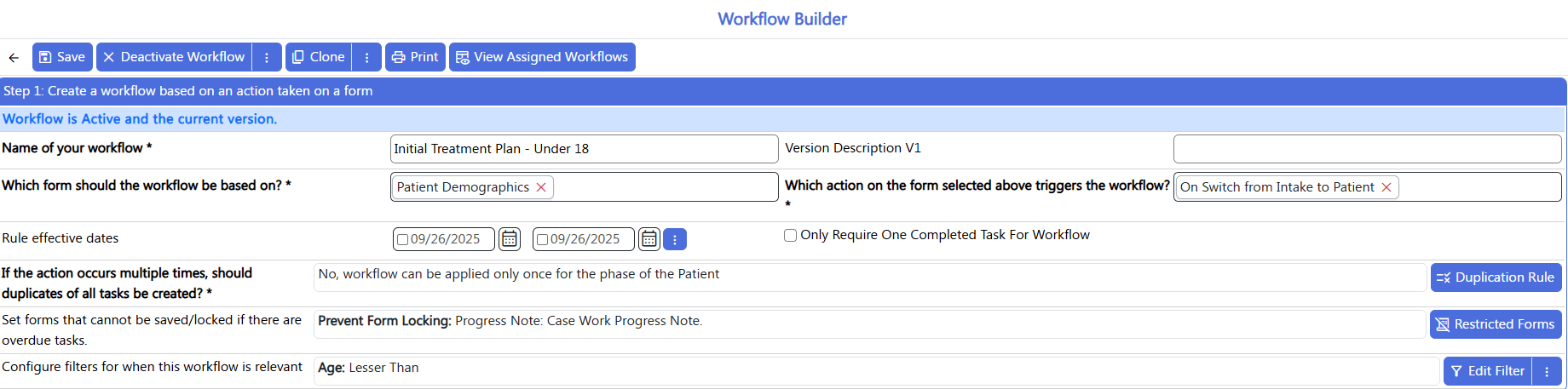
Workflow Builder is the core of ClinicTracker’s customized workflow software. Every workflow starts with a trigger, the action in ClinicTracker that tells the system a task needs to happen next. Workflows can start when:
-
A form is created or updated
-
A new patient record is created
-
A patient’s status changes, such as a move from intake to active care or a readmission
-
A clinician or supervisor signs a form
-
A staff member takes a manual action
-
A nightly automation runs
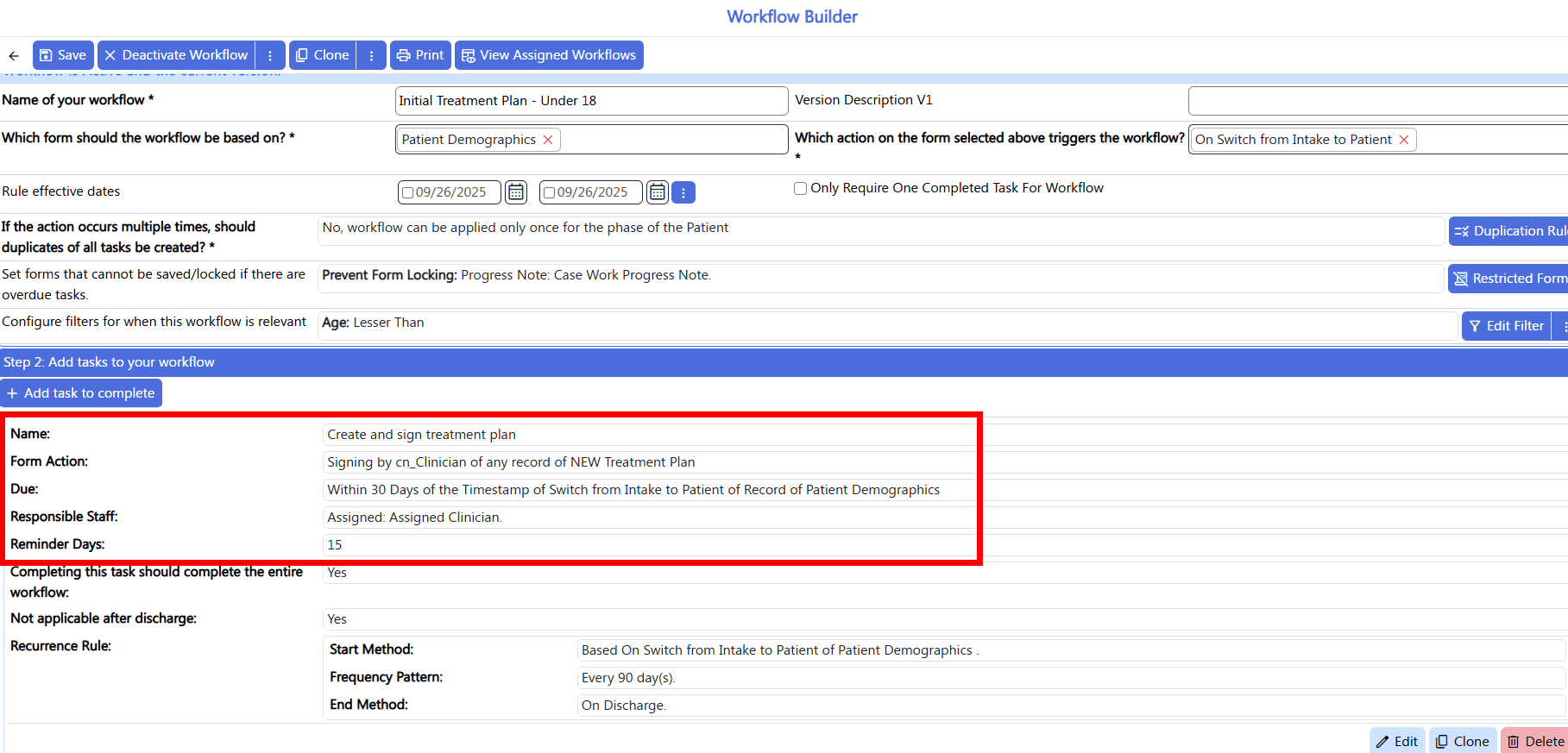
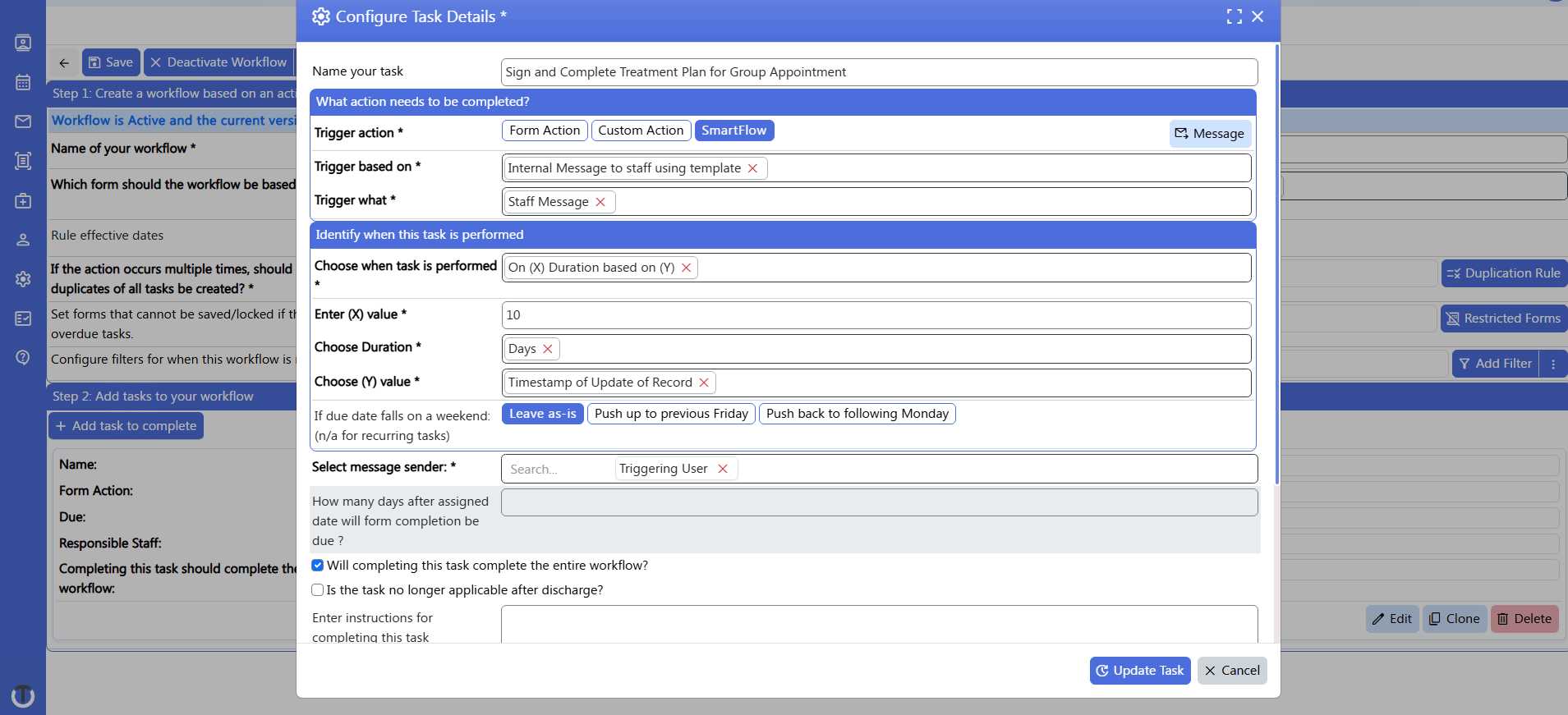
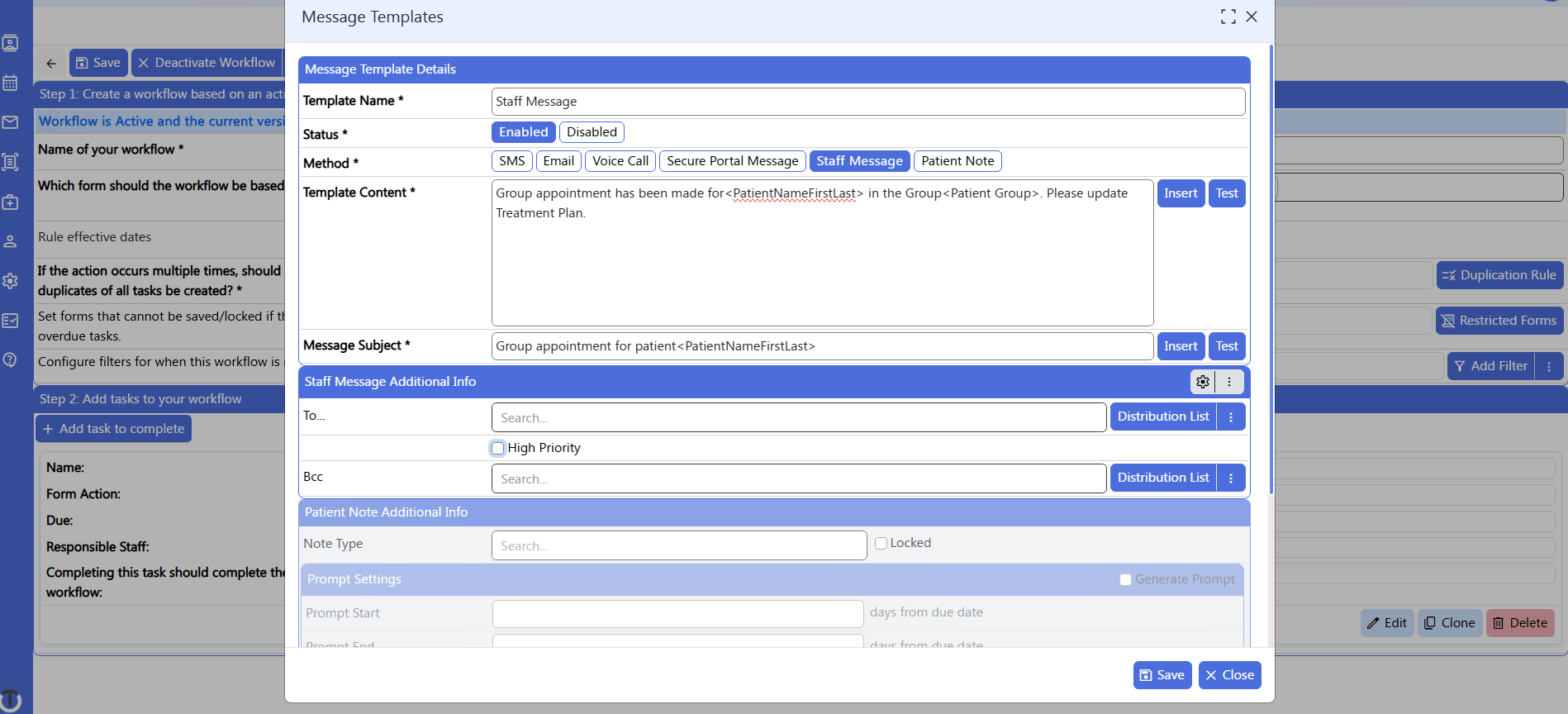
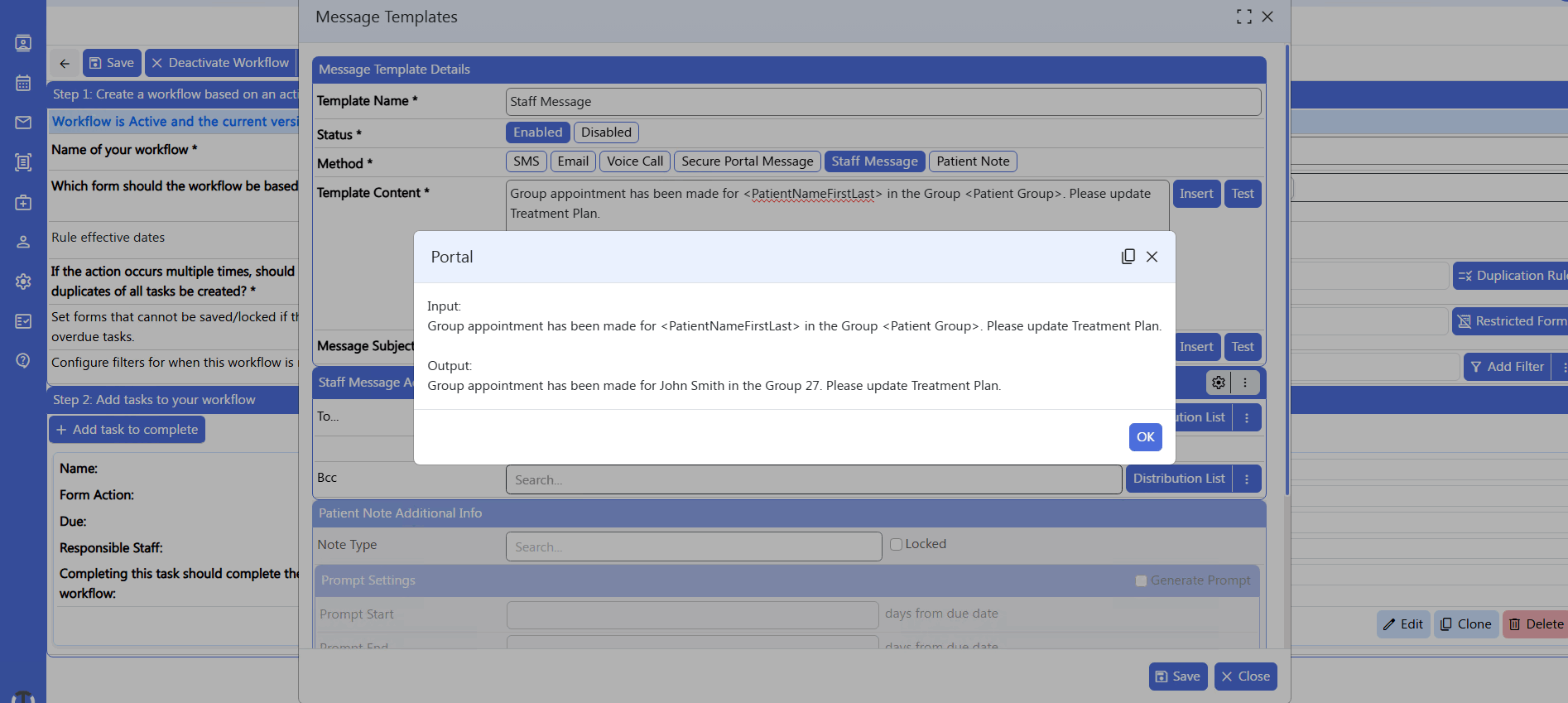
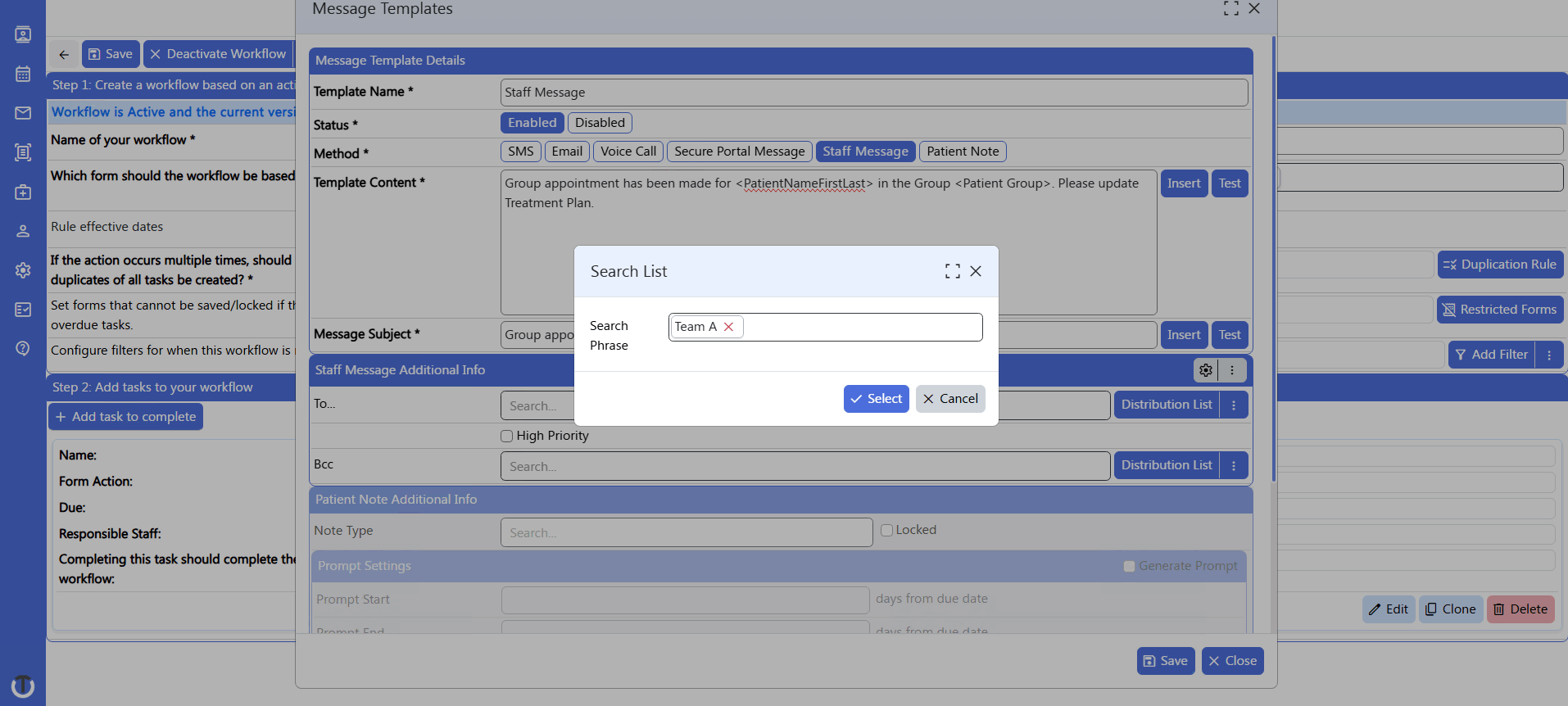
From there, you add the tasks. A task can ask staff to create or sign a record in ClinicTracker, or to handle something offline, like calling a patient. Some tasks run on their own, with the system sending messages and Patient Portal form requests automatically.
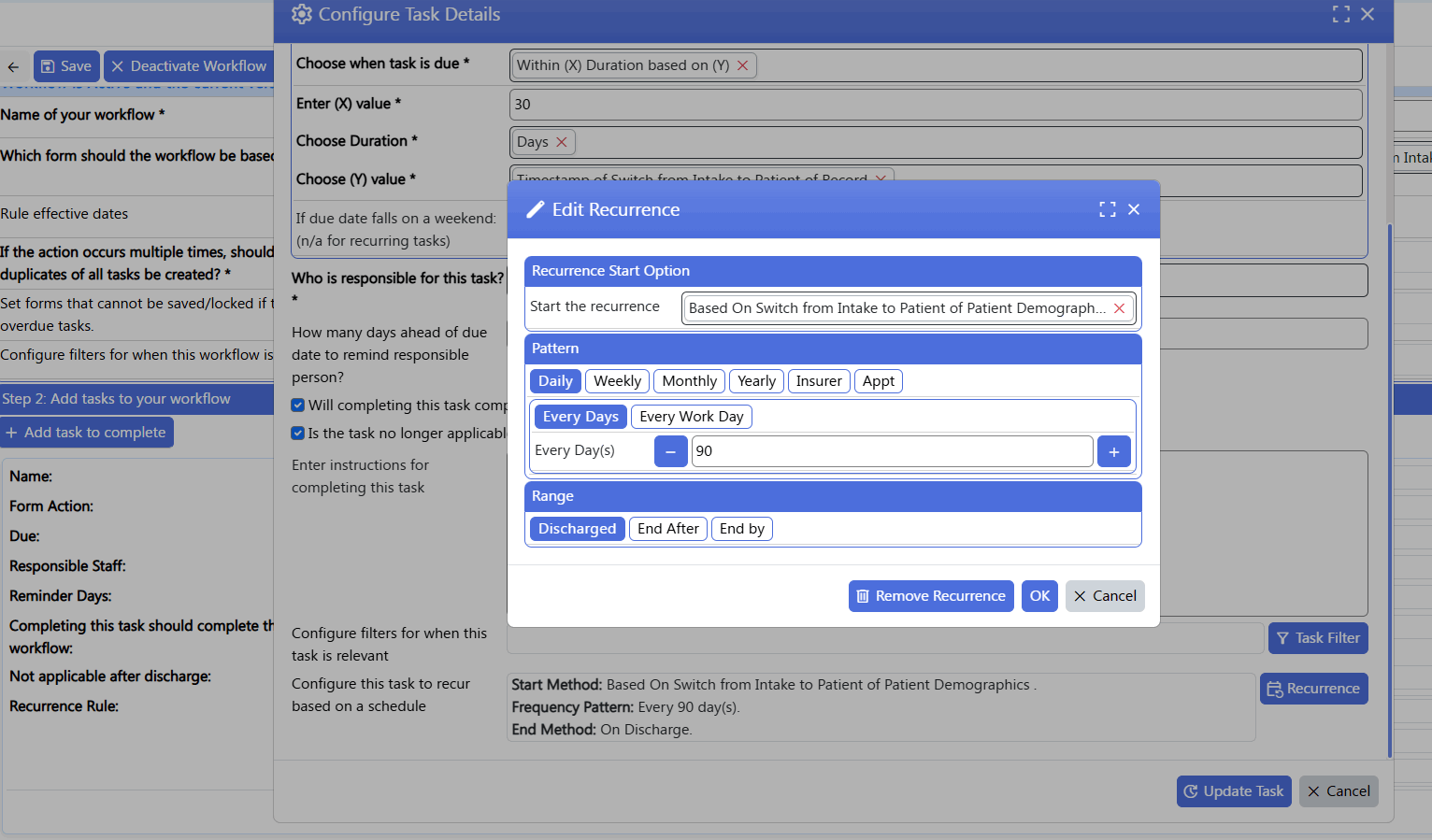
Each task gets a due date and an owner. That owner can be the person who triggered the workflow, specific staff members, or the patient’s assigned supervisor or case manager. Automated messages can also go to a distribution list. Reminders go out ahead of the due date, and recurring tasks (like a treatment plan review every 90 days) repeat until the patient is discharged or the series ends.
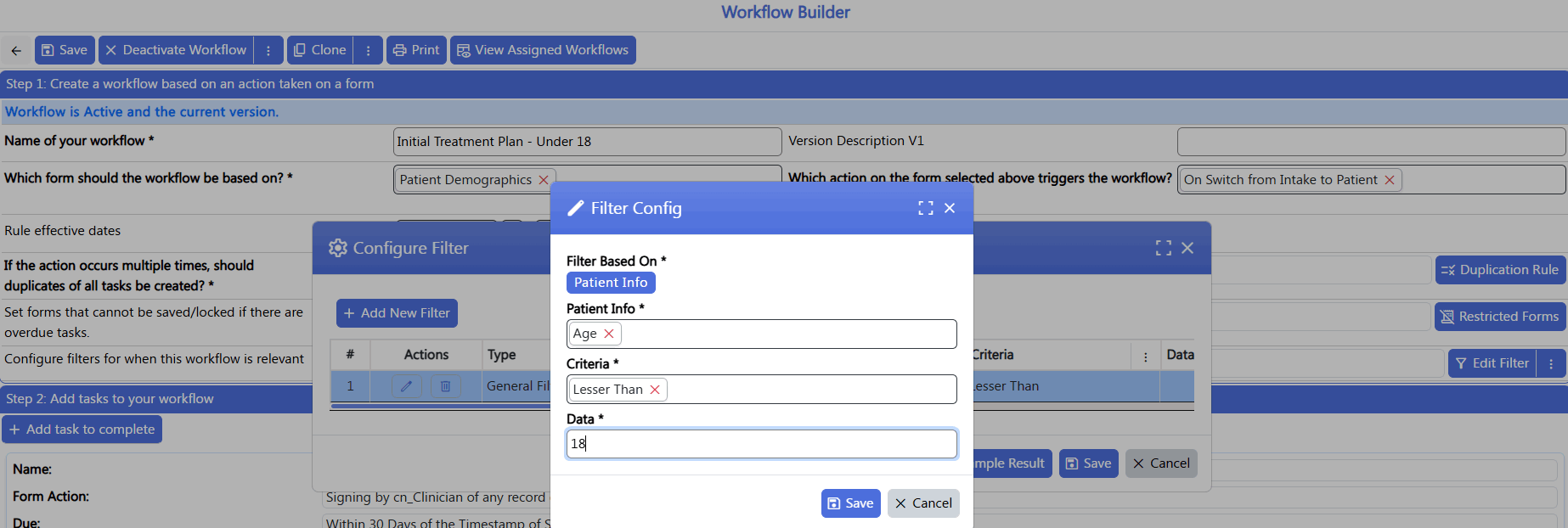
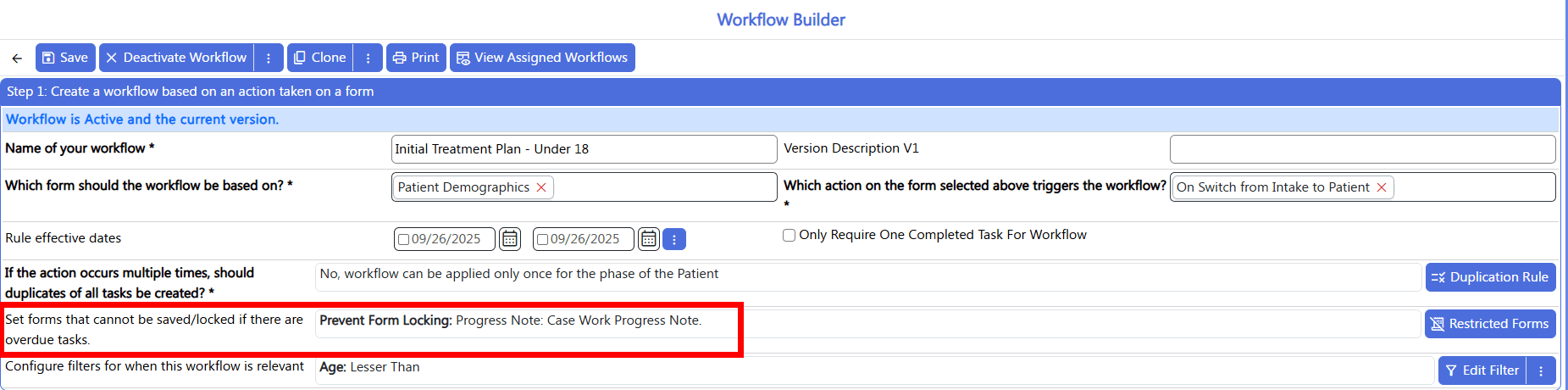
Filters keep each workflow limited to the patients it applies to, such as patients in a certain age range or at a specific location. Supervisors can also see every task in one place, by staff member or by patient. If the task goes overdue, it shows up in red in the staff member’s compliance alerts, and supervisors can track it from the staff task dashboard.
Examples of Workflow Builder in Practice
- Intake follow-up within 48 hours: When an intake form is submitted, Workflow Builder assigns a follow-up task to the right staff member and sends a reminder before it’s due. If the task goes overdue, it’s flagged in red on the staff task dashboard, where supervisors can see it.
- Discharge paperwork within three days: Discharging a patient assigns the discharge summary to designated staff, with a reminder the day before it’s due.
- Treatment plan review within 24 hours: When a clinician submits a draft treatment plan, the supervisor gets a review task. The task closes on its own once the supervisor signs.
- No-show follow-up: When an appointment is marked as a no-call, no-show, the front desk gets a task to call the patient and reschedule within 48 hours. The task links straight to the appointment record so staff can document the call.
- Patient signatures through the portal: Once a clinician signs an adult treatment plan, patients 18 and older get a Patient Portal request to sign their portion.
Clinical Workflow Automation That Does More Than Just Replace Forms
Implementation starts with your forms. We make sure every form your clinic needs is in ClinicTracker, including any that need to be built or customized, and that information carries from one part of the client chart to the next. From there, we configure workflows that guide staff through the clinical and regulatory processes they need to follow.
By embedding forms in our clinical workflow software, clinics like yours can save considerable time by eliminating unnecessary steps. For instance, based on a few parameters in a progress note, you could trigger a workflow that automatically admits a patient and notifies your clinical manager. This type of automation can be especially beneficial for larger clinics that handle a high volume of patients.
All the while, you can reinforce compliance in your healthcare processes through prompts and reminders to complete required documentation on time, such as a scheduled treatment plan that’s due every 90 days. With less guesswork in your behavioral healthcare workflows, it becomes significantly easier to train new staff.
Build the Forms Your Workflows Need With Custom Form Builder
Custom Form Builder lets you build the forms your clinic uses, and Workflow Builder routes those forms appropriately. Capture the right information at intake and carry it through every patient encounter after that.
With the Custom Form Builder, you can:
- Create your own forms (both staff and patient-related versions)
- Modify existing forms, reorder sections to reflect your business processes, and hide sections that you're not using
- Include section headers, labels, drop-down lists, check boxes, list boxes, date-pickers, multi-line text boxes, and more
- Capture an unlimited number of signatures, including consent forms, with managed workflows for signature requests
- Collect external documents (e.g., Word documents, PDFs, etc.)
- Use formulas to populate fields and set font/background colors
- Reference fields from one form in another (e.g., reference Treatment Plan Goals in your Progress Notes)
Monitor Clinical Workflows With the Custom Report Builder
Every healthcare organization has specific information that's critical to its operational workflows. The key is to be able to easily extract and visualize that data to support better clinical decision-making and patient outcomes, whether you're running a small practice or operating at enterprise scale.
With our Custom Report Builder, you can:
- Create customized output for any form to match your layout requirements
- Design reports based on any data in the system
- Format the elements of the report with a palette of fonts and colors
- Create complex formulas based on multiple data fields
- Export any of the reports in the system into Excel, PDF, CSV, HTML, or Text formats
Robust reporting like this helps you spot where manual processes create bottlenecks, and improve operational efficiency across the health system, giving supervisors the decision support they need to catch issues early.
State & Regulatory Requirements
Need something special to support state-specific requirements or other regulatory mandates? Navigating the complex ecosystem of state and federal rules is part of running any behavioral health organization in today's healthcare sector. To streamline workflows, we've added many state reporting utilities to our EHR system, supporting consistent healthcare delivery across programs. Our software currently offers data capture and automated reporting tools specifically adapted to unique specifications issued by Illinois, Georgia, Wyoming, Oregon, and others.
A Signature Routing Feature That Further Simplifies Clinical Workflows
ClinicTracker eases the process of reviewing and countersigning documentation. If you need a supervisor's signature on a form you've completed, simply click a button that sends a link and an optional message. The supervisor will see the notification in the messaging system, click the link to review the paperwork from a desktop or mobile device, sign off, and press another button to send you an acknowledgment notification. Integrated messaging like this keeps care coordination between supervisors and clinicians in one place instead of scattered across email and phone calls.
No more passing around a paper file, leaving notes in a supervisor's mailbox, or chasing follow up on a report you've written. All that clinical communication hassle goes away with ClinicTracker's signature routing system, so clinicians can focus on direct patient care instead of paperwork. So does worrying about whether all the healthcare system forms that require signatures will pass regulatory scrutiny.
Bringing forms, workflows, and reporting together in a single platform means less manual work, fewer dropped handoffs, reduced costs tied to paper-based processes, as well as protecting staff from the burnout that repetitive admin work causes.